
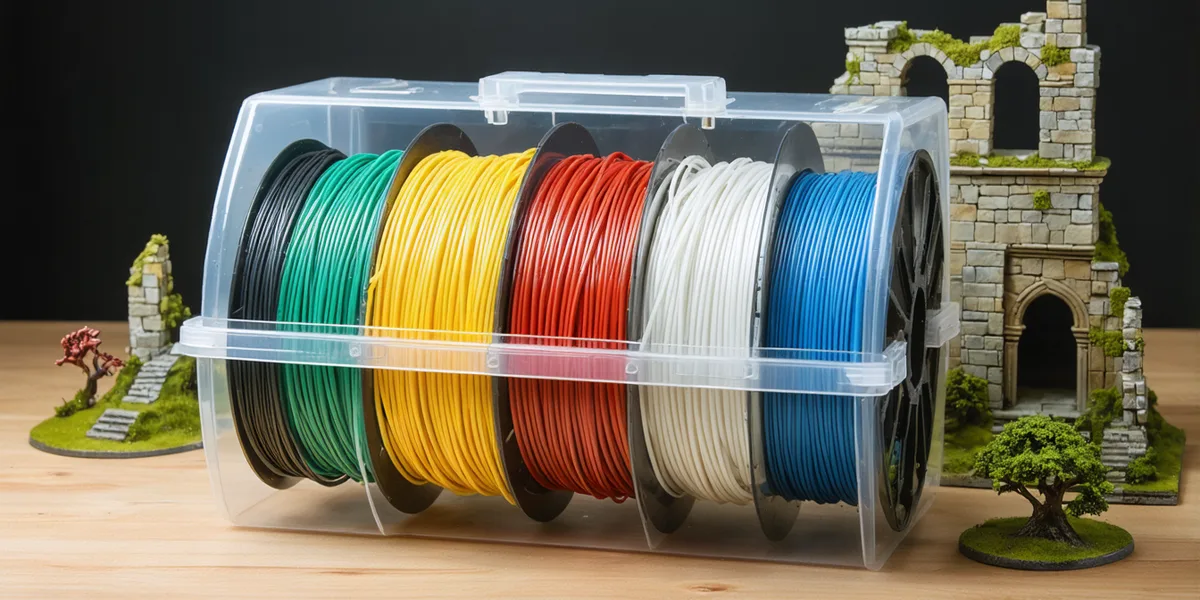
A filament dryer is the fix for the most confusing class of bad prints. Most filament takes on moisture from the air once the bag is open - some kinds within days - and damp filament prints stringy, pops and hisses at the nozzle, and comes out with rough, weak layers. It looks like a slicer problem, a temperature problem or a bad roll, and it usually is none of those. A dryer bakes the water back out; a sealed dry box keeps it out once it is gone.
This guide sorts the dryers we track by the job you are buying for: one spool, two, four, the hottest drying for engineering filaments, and a plain dry box. Every figure below is the maker's own, read from each maker's product page, and where a maker does not state a figure we leave a dash rather than guess.
We currently hold a checked link for 8 of the 23 dryers in this guide in the US; the rest are not sold there by a shop we track.
Dryer or dry box?
They do two different jobs, and a lot of confusion comes from treating them as one.
- A filament dryer has a heater. It warms the spool for a few hours to drive the moisture out, and most let you set the temperature and time for the material. Several of them also let the filament feed straight out to the printer while they run, so the spool stays dry for the whole print.
- A dry box has no heater. It is a sealed container with desiccant, and often a humidity readout. It cannot dry a damp spool; it keeps a dry one dry, between prints or while printing from it.
The two work together: a dryer to rescue a spool, and dry storage so you rarely need to.
The drying temperature that is safe for your filament is on the spool's label or the filament maker's page. A dryer's stated maximum only tells you the ceiling it can reach - check it is high enough for the materials you use, and set it lower for PLA.
One spool, print while it dries
For most people this is the dryer to buy first: one spool, dried in the box, and - where the maker says it can - feeding the printer straight from the box while it dries. That keeps the filament you are printing from dry for the whole job, which is what matters on a long terrain print.

SUNLU states you can print while it dries (two rollers inside the box), an adjustable 35–55 °C, and a maximum spool size of Φ210 × 85 mm. SUNLU gives no spool count; the single spool size is what places it here. Ranked first because its page states all three things this slot turns on: print-while-drying, the spool it takes, and a temperature range. Its 55 °C maximum is the lowest in this guide, so for engineering filaments see the hottest-drying picks below.
SUNLU
Two spools
Two spools at once is the step up for two-colour work, or for drying a spare of the filament you print most while the other one runs.
No shop we track sells a pick for this in the US yet.
Four spools, for a multi-material setup
If your printer takes four spools at once - a multi-colour or multi-material system - a four-spool dryer dries the whole set together, so no single spool is the damp one. The Eibos Series X units and SUNLU's AMS Heater in the table below are different: they are heated covers that work only on a Bambu Lab AMS.

SUNLU states four 1 kg spools, an 85 °C maximum and 380 W rated power, and describes it as dual-zone with independent temperature and time control. Ranked first as the four-spool dryer with the highest stated maximum temperature, and it is a standalone box rather than an add-on for one printer system.
SUNLU
The hottest drying, for engineering filaments
PLA dries at a low temperature. Nylon, polycarbonate and the other engineering filaments need more heat, and a dryer that tops out too low will never get them properly dry. This is the slot to read the maker's maximum temperature for.

ELEGOO states it reaches up to 85 °C, with rotating drying and active air vents, and names PA and PC among the filaments it supports. It shares the highest stated maximum in this guide with the SUNLU S4 Pro; it is listed first because the S4 Pro already leads the four-spool slot, so this slot adds a second machine, and because a shop we track sells it in all five markets. ELEGOO's page text states no spool count, print-while-drying or power figure.
ELEGOO
A dry box, to keep dry filament dry
If your filament is already dry - new from a sealed bag, or fresh out of a dryer - a sealed box with desiccant keeps it that way for far longer than an open spool on the printer. It will not rescue a damp roll.
No shop we track sells a pick for this in the US yet.
Every dryer we track, side by side
The makers' own figures for every dryer and dry box in this guide. A dash means the maker does not state that figure on its product page as far as we could read it - not that the machine lacks the feature. The last column lists the shops we track that sell each one in your market.
Maker figures only. A dash means we do not hold that figure for that product — not that the product lacks the feature. Hover a figure for the maker's own words and the page it came from.
| Dryer | Spools | Max temp | Print while drying | Humidity readout | Heated | Power | Shops we track in US |
|---|---|---|---|---|---|---|---|
| Creality Space Pi Filament Dry Box | 1 | 70 °C | — | — | Yes | — | — |
| Prusa USS Drybox | 1 | — | — | Yes | — | — | — |
| SUNLU FilaDryer S1 Plus | — | 55 °C | Yes | — | — | — | SUNLU |
| SUNLU FilaDryer S2, Black | — | — | Yes | — | — | — | SUNLU |
| SUNLU FilaDryer S2, White | — | — | Yes | — | — | — | — |
| Creality Space Pi Filament Dry Box Plus | 2 | 70 °C | — | — | Yes | — | — |
| Polymaker PolyBox Edition II | 2 | — | — | — | No | — | — |
| SUNLU FilaDryer SP2 | 2 | 70 °C | — | Yes | Yes | — | — |
| Eibos Filament Dryer Series X Tetras | 4 | 65 °C | Yes | — | — | 240 W | — |
| SUNLU FilaDryer S4, Black | 4 | — | — | — | — | 320 W | SUNLU |
| SUNLU FilaDryer S4, White | 4 | — | — | — | — | 320 W | SUNLU |
| SUNLU FilaDryer S4 Pro | 4 | 85 °C | — | — | — | 380 W | SUNLU |
| Polymaker PolyDryer Storage Bundle | — | — | — | — | — | — | — |
| Creality Filament Storage Box | — | — | — | — | — | — | Creality |
| Creality SpacePi SE Filament Dryer | — | — | — | — | — | — | — |
| Eibos Filament Dryer Series X Dyas | 4 | 65 °C | Yes | — | — | 120 W | — |
| ELEGOO H1 HT Filament Dryer | — | 85 °C | — | — | — | — | ELEGOO |
| eSUN eBOX Lite | — | — | — | — | Yes | — | — |
| eSUN eBOX Pro | — | 70 °C | — | Yes | — | — | — |
| Polymaker PolyDryer | — | — | — | — | Yes | 68 W | — |
| Sovol Filament Drying Box | — | — | — | — | — | — | — |
| Sovol SH02 Filament Box | — | 70 °C | — | — | Yes | — | — |
| SUNLU AMS Heater (for Bambu Lab AMS) | — | 70 °C | Yes | Yes | Yes | 220 W | SUNLU |
Why a painter cares: printing terrain
Most of the filament in a wargamer's house becomes terrain - ruins, scatter, bases and buildings - and terrain is exactly where damp filament hurts: long, flat walls show every blob and string, and a weak layer is a broken wall on the first game night. PETG and TPU are worse than PLA for picking up moisture, and they are the materials people reach for when a piece has to survive handling.
Everything we track for FDM printing is in the filament section, and the dryers, dry storage and accessories that keep it printable are on the filament care shelf. When the print is done, the painting side of the site takes over: basing and terrain for Kill Team are where most of those prints end up.